How to install
It takes about a minute. Pick your device:
- Tap “Download for Android”
If Chrome says the file might be harmful, tap Download anyway. Chrome shows this for every app that isn't from the Play Store.
- Open the downloaded file
Tap Open in the message at the bottom, or find MSA-Arabic.apk in your notifications or the Downloads folder.
- Allow the install (first time only)
If your phone asks, tap Settings, turn on Allow from this source, then go back.
- Tap “Install”, then “Open”
If Play Protect says it doesn't recognise the app, tap More details → Install anyway.
Already have the app? Download and install the new version the same way. It updates in place and keeps all your progress.
- Open this page in Safari
It has to be Safari: the “Add to Home Screen” option isn't in other iPhone browsers.
- Tap “iPhone”
The app opens in Safari. You can start learning straight away.
- Tap the Share button
It's the square with an arrow pointing up, at the bottom of the screen.
- Choose “Add to Home Screen”, then “Add”
MSA Arabic now has its own icon and opens full screen, like a normal app.
Back up your progress: tap Continue with Google when the app opens (or go to More → Account) to save your progress to your free account. Sign in with the same Gmail on any phone, Android or iPhone, to carry on where you left off.
- Open this page on your laptop
Use Chrome or Microsoft Edge on Windows, Mac or Chromebook. Type msaadviser.com or scan the QR code below.
- Click “Laptop & computer”
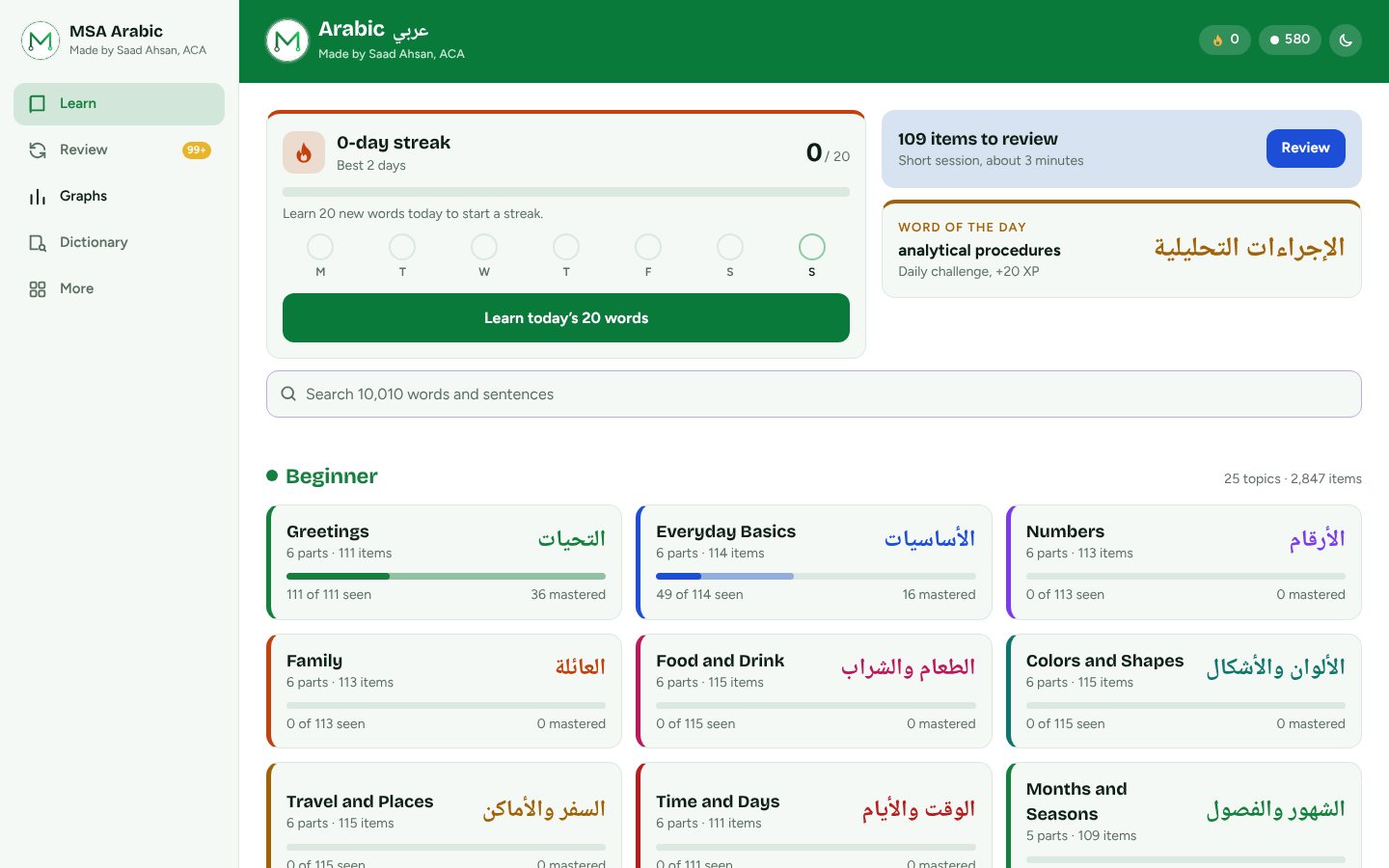
MSA Arabic opens with a full laptop layout: a side menu, wide topic grid and two-column graphs.
- Click “Install”
Click Install on the green card at the top of the app, or the install icon ⊕ at the right of the address bar. Confirm with Install.
- Open it like any program
MSA Arabic gets its own window and an icon on your desktop, Start menu or Dock, and taskbar. It works offline and updates itself.
On a Mac with Safari? Open the app, then choose File → Add to Dock in the menu bar. Same progress everywhere: sign in with Google on your laptop and phone to keep them in sync.
What's inside
Made for English speakers learning Modern Standard Arabic (الفصحى), from your first word to reading the news.
90 topics
Greetings, food, travel, work, health, the news, proverbs and more. Beginner to intermediate.
Hear every word
Arabic audio for every word and sentence, plus transliteration you can turn on or off.
Smart review
Words come back just before you'd forget them, so they stick for good.
Daily streak
Learn 20 new words a day (or set your own goal) and watch your streak grow.
Progress graphs
12 colourful graphs: new words, XP, progress by topic and level, words vs sentences and your best time of day.
Make it yours
Multi-colour mode, 16 colours, 7 backgrounds including dark grey and midnight, four Arabic fonts and bigger text. Plus the alphabet, a dictionary and a Word of the Day.


Questions
Is it safe to install?
Yes. MSA Arabic is made by Saad Ahsan, ACA. It has no ads and doesn't track you. It only uses the internet if you choose to sign in with Google to back up your progress. Your phone shows a warning because the app isn't from the Play Store, not because anything is wrong with it.
Is it really free?
Yes, every word, sentence and feature is free.
Do I need an account?
No. You can start learning straight away. If you sign in with Google (on Android, iPhone or computer), your progress is backed up and follows you to any phone.
How do I update?
Come back to this page, download the latest version and install it over the old one. Your progress is kept.
Can I use it on my laptop?
Yes. Open this page in Chrome or Edge on Windows, Mac or Chromebook, click “Laptop & computer”, then click Install. It gets its own window and desktop icon, works offline and updates itself. Sign in with Google to share your progress between your laptop and phone.
Does it work without internet?
Yes. Lessons, review and the dictionary all work offline. Audio uses your phone's Arabic voice. If you can't hear Arabic, install the Arabic voice in your phone's text-to-speech settings.